





Streaming music has completely transformed the way we enjoy audio, and learning how to make a playlist on spotify for beginners is your gateway to standardizing your musical environment. Whether you are using a free account or looking into how to get spotify premium for free permanently, building custom libraries lets you sort music by mood, genre, or specific daily routines. Spotify hosts over 100 million tracks, making organized curation incredibly helpful.
Spotify Playlist Framework Overview
Before launching straight into creation, it helps to understand what the system allows. Both free tier listeners and premium subscribers have total autonomy over creation. If you plan to move items over from competitive platforms, learning how to transfer playlist from apple music to spotify is a common next step for new users.
Here are the fundamental technical constraints and features of a standard modern Spotify playlist:
| Feature Attribute | Platform Baseline Limit |
|---|---|
| Max Track Capacity | Up to 10,000 songs per specific playlist container |
| Account Type Access | Available entirely to both Free and Premium profiles |
| Privacy Toggle Options | Publicly discoverable or Private (Secret) modes available |
| Collaborative Options | Multi-user editing links can be activated instantly |
Step-by-Step: Creating Playlists on Mobile (iOS & Android)
Most beginners interact with music via smartphones. The process takes less than a minute once you know where to look inside the mobile interface configuration.
- Open the App: Fire up Spotify on your mobile device. Ensure you are signed into your account.
- Navigate to Your Library: Look at the bottom menu bar and tap the Your Library icon located on the bottom right hand side.
- Tap the Create Button: In the upper-right corner of your screen, locate and tap the plus (+) symbol.
- Select Playlist: From the contextual pop-up options menu that appears, tap on the option labeled Playlist.
- Name It: Provide an identifying title for your collection, then hit the Create confirmation button.
Pro Tip on Optimization: If your storage space starts filling up from storing curated offline music, you may periodically need to review how to clear spotify cache to save space safely without wiping your custom playlist links.
Step-by-Step: Creating Playlists on Desktop & Web Player
If you prefer using a personal computer or web browser link via the official Spotify Web Portal, the setup steps shift slightly due to the screen real estate differences.
- Locate the left-hand sidebar menu section labeled Your Library.
- Click directly on the prominent plus (+) icon near the library banner.
- Select Create a new playlist from the small drop-down overlay prompt.
- A generic placeholder titled "My Playlist" will appear. Click directly on that text field title to adjust the custom title name, add a custom cover artwork graphic image, and append a detailed description block.
How to Find and Add Songs Efficiently
A blank template needs music. Spotify utilizes advanced indexing tools to help you discover relevant sonic content quickly.
To populate your layout, tap the Search tab or type directly into the dedicated field inside your new playlist window. When you identify a matching melody, click or tap the horizontal three-dots icon next to the song title, select Add to playlist, and pick your target file from your master directory list.
If you enjoy collecting alternative tracks, you might occasionally find inspiration on other networks. For instance, discovering media configurations like learning how to download music from youtube to phone files helps enthusiasts balance local offline folders alongside cloud streaming profiles.
Expanding Your Music Horizons Beyond Spotify
As you progress from absolute novice to an intermediate playlist curator, tracking alternative platform audio pipelines can improve your general music library. Knowing the process of how to listen to music offline without data lets you take your curated sounds anywhere—even into remote regions with zero cellular network towers.
Frequently Asked Questions
Can I invite my close friends to add music tracks to my custom Spotify playlist?
Yes. By opening your specific collection setting controls and tapping 'Invite Collaborators,' you create a tracking path link that permits anyone to add, remove, or rearrange sequential songs.
What is the overall limit to the total number of distinct playlists I can generate?
There is currently no platform limit on the total volume of independent playlist folders an individual user can keep attached to their unique database account.
How do I change a public playlist to strict private status?
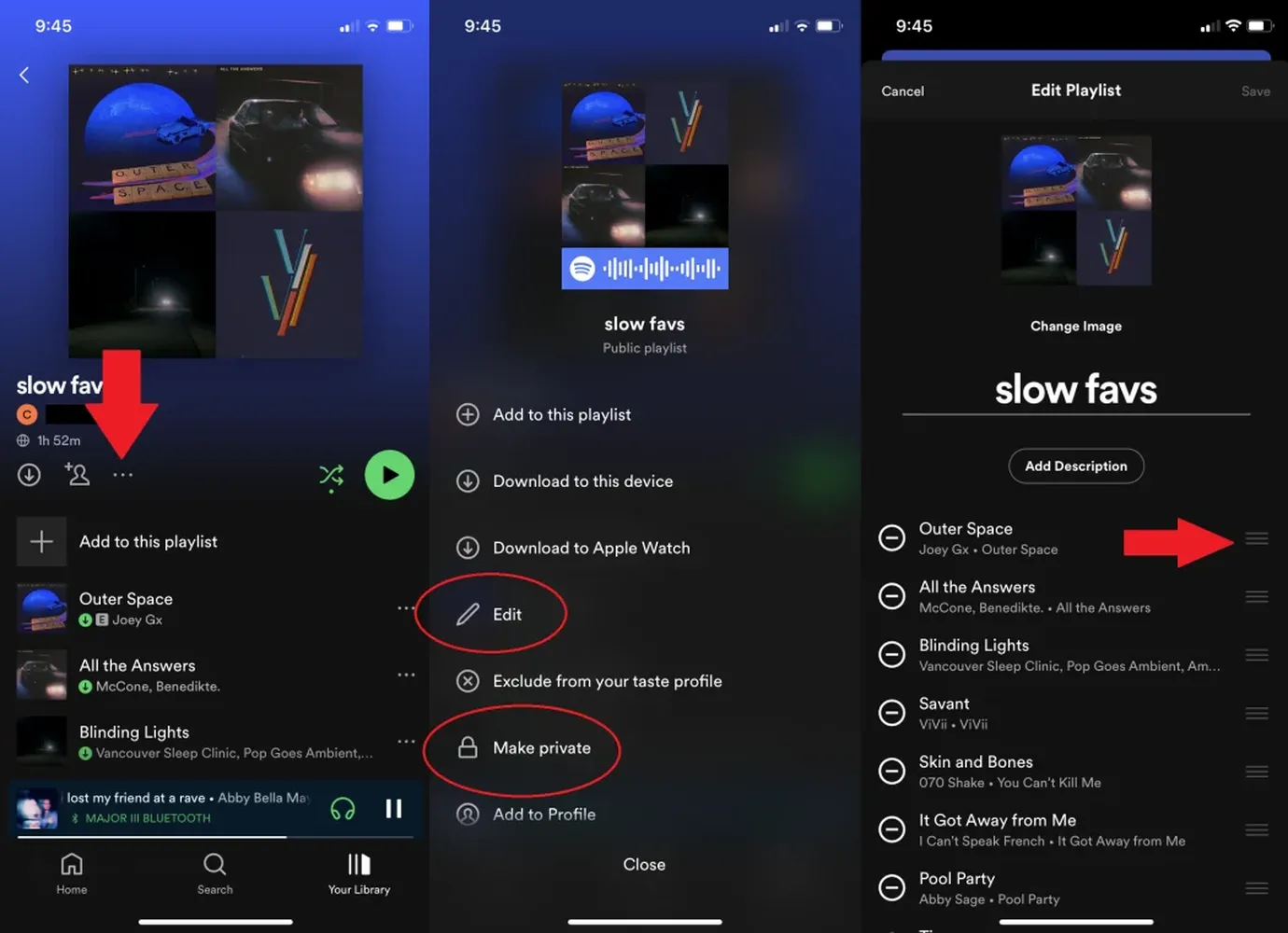
Navigate directly to the specific dashboard of the target album mixture, tap the clear three-dot settings dropdown icon, and select 'Make Private' to lock out unexpected public search visitors instantly.
Conclusion
Mastering how to make a playlist on spotify for beginners is a great first step to improving your music listening. Organizing your tracks lets you build personalized soundtracks for every daily activity. Start small by building a simple 10-track morning rotation, and watch your curation skills expand as you explore new sounds and share collaborative mixes with your friends.